
Family User Guide
CSMS (Chinese School Management System) is a family centric system. Every user and every student belongs to a family account.
New Family Registration
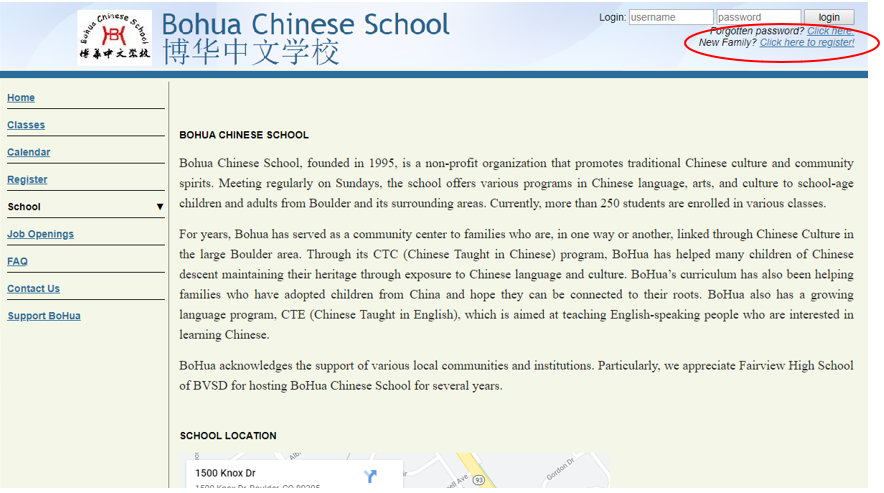
To create a new family, click “New Family? Click here to register!” at upper left of the website.
In the pop-up window, start with the "Student Info". You may add one or more students from one family.
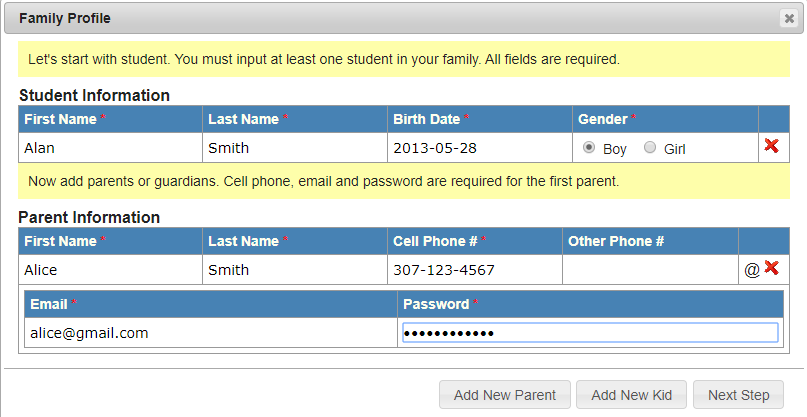
Then enter parent information. The "@" icon to the right is used to show/hide the email and password line. The email address and the password are the credentials that you will use to log into the CSMS system. One family may have multiple emails and passwords registered.
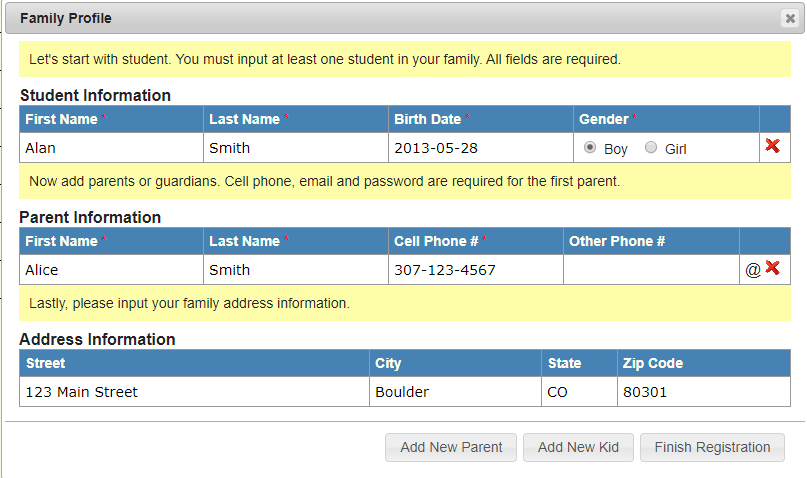
At last, enter address information to finish registration.
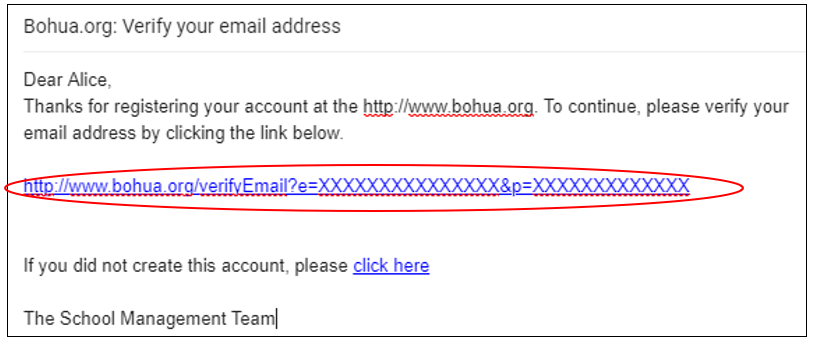
After registration, you need to verify your email address.
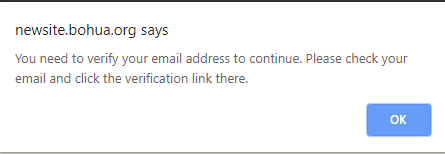
Check your email inbox, and click the link in the email.
Class registration / Enrollment
After email verification, you will be able to login using your email and password that you registered. Then you can go to "Register" page to register class for any member of your family.
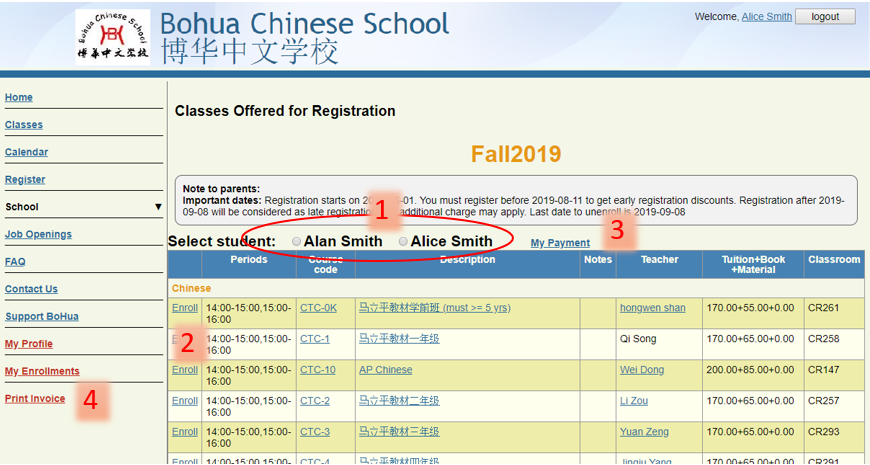
- Click to select a family member whom you want to register class for.
- Click "Enroll" on the left side of each course to enroll in that class.
- After all of the selected courses are enrolled, click the "My payment" link to print the invoice and pay for the tuition.
- Once a class is enrolled for a family member, you can see the “Enroll” link is changed to “Unenroll” on the same page, which you can use to undo the enrollment.
- At any time over the semester, you may click "Print Invoice" on the left to print an invoice showing the remaining balance of your family.
 Xilin North Chinese Education Center,